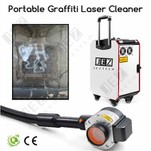
When performing laser cleaning paint, the parameter settings need to consider the following key factors:
1. Laser power: Laser power is the most important parameter affecting the cleaning effect. According to the experimental study, the larger pulse frequency and pulse width are more conducive to the removal of thicker paint coatings. Under the condition of the average laser power of 500 W, the cleaning test can be carried out by changing the pulse width and pulse frequency.
2. Pulse frequency: The pulse frequency will affect the peak power of the pulsed laser and the number of laser pulses acting in the same area. Properly increasing the laser pulse frequency can increase the number of laser pulses, and the paint can be removed layer by layer through multiple pulses, so as to improve the paint removal efficiency.
3. Pulse width: The pulse width affects the depth of thermal diffusion of laser energy during the cleaning process. Increasing the pulse width can increase the diffusion depth of laser energy in the coating, increase the thickness of paint removal by a single laser pulse, and effectively improve the paint removal efficiency.
4. Scanning speed: scanning speed has a significant impact on cleaning quality. The results show that when the scanning speed is between 200 and 1000 mm / s, the cleaning effect increases with the increase of the scanning speed. When the scanning speed is higher than 1200mm / s, the cleaning quality decreases and the residual paint layer increases.
5. Field mirror selection: field mirror selection will affect the focusing effect of the laser, the common field mirror selection is 160mm, 254mm (default), 330mm.
6. Graphic Length and Width: The maximum graphic length is 100 mm and the maximum graphic width is 3.0 mm.
7. Galvanometer Speed: The galvanometer speed is 30.
8. Laser frequency: The laser frequency range is 25KHz-200KHz.
9. Graphics Speed: Graphics speed ranges from 1 to 12.
10. Mode Settings: Up to 10 modes can be set to facilitate different cleaning needs.
11. Line spacing: line spacing is 0.2 mm.
Combined with the above parameters, when setting the laser cleaning paint, the above parameters should be adjusted according to the specific laser equipment and paint characteristics to obtain the best cleaning effect, while avoiding damage to the substrate.